


The field app built for your technicians
Manage assigned jobs, capture before and after photos, navigate to sites, clock in and out, and stay connected with the office. Free on Google Play with automatic updates.
Availability depends on your Google Play country, device, and company rollout.
Everything a tech needs on the job
Ormi Field is purpose-built for HVAC, plumbing, electrical, and remodeling crews.
9
Core capabilities
8.0+
Android version
Offline
Jobs work without signal
Free
For subscribers
Jobs & dispatch
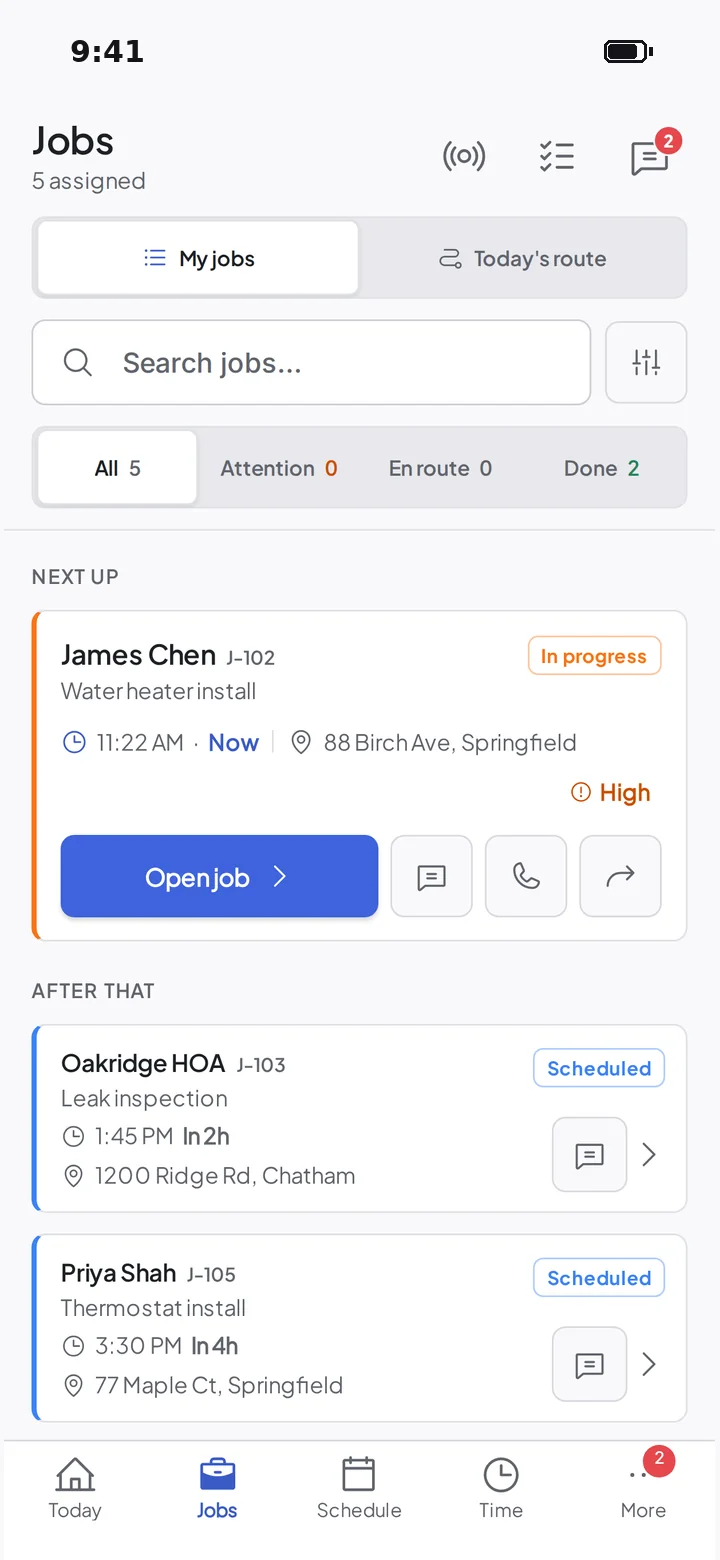
See assigned jobs, update status, add notes and mark work complete. Switch between all jobs and just today's route in one tap.
Schedule & week view
Your day or week at a glance, still there with no signal. A note at the top tells you when changes are waiting to send.
GPS navigation
Turn-by-turn to every job site in Apple Maps, Google Maps or Waze, whichever the tech already uses.
Job site photos
Snap before and after photos and they attach to the job right away, a clear record if the work is ever questioned.
Customer signatures
Collect on-site e-signatures for completion, change orders, or payment. Signatures embed on the completion PDF.
Two-way messages
Text customers and the office from the job. The same conversations show up in the office app, history included.
Parts & inventory
Add parts to a job from the truck stock, track quantities, and auto-deduct inventory when the job is marked complete.
Collect payments
Customers tap a card or phone against your Android phone, no reader to carry. The payment lands on the invoice and syncs to QuickBooks.
Works offline
Jobs, notes, photos and time keep working with no signal, then send themselves when you reconnect.

Built for the field. Not for a desk.
No “tap through 4 screens to start a timer”. No 200-setting menu. The Ormi Field app is the shortest path between “on my way” and “invoice sent”.
Real screens from Ormi Field, the same app on iPhone and Android.
Install from Google Play
Ormi Field needs Android 8.0 or later. Google Play installs updates for you as new versions are released.
Step 1
Open Google Play
Tap the Google Play button on this page. It opens the official Ormi Field listing for your Android device.
Step 2
Install Ormi Field
Check the app is Ormi Field from Ormi FSM LLC, then tap Install. Google Play checks your phone is supported.
Step 3
Keep updates automatic
After installation, Google Play keeps Ormi Field up to date as new versions are released.
Step 4
Sign in and sync
Open the app and sign in with the same email and password you use at app.ormi.com. Your jobs and schedule load automatically.
Having trouble installing or updating?
Google Play should handle the install. If it does not, our support team can check your account and device with you.
Contact support
A person on the team reads every message.
Get helpHelp Center
Step-by-step guides for every part of Ormi.
Browse helpFrequently asked
Quick answers to the most common questions.
View FAQReady to install?
Free on Google Play for supported Android phones.

Stop paying for the office. See what you'd save.
$25 per field technician, per month. Dispatchers, admins and owners are free. Your first 15 days are free, with unlimited jobs too.